December 31, 2025
Roofing leads rarely arrive through one predictable channel. They come through phone calls, website forms, referrals, social media, and storm-related inquiries and often while sales representatives are already managing active customers.
When those conversations are scattered across inboxes, phones, and spreadsheets, follow-ups get missed and promising leads go cold. A roofing CRM keeps every interaction, appointment, and next step visible from the initial inquiry through post-job follow-up.
Best Roofing CRM Solutions for Contractors in 2026
Roofing CRMs vary considerably in what they manage. Some focus on lead capture and pipeline tracking, while others connect customer records with estimates, appointments, job updates, payments, reviews, and referral campaigns.
The right platform depends on how your team sells, communicates, and maintains customer relationships, not simply which product offers the longest feature list.
This guide examines the CRM capabilities that matter to roofing contractors, how the lead-to-follow-up workflow operates, and how the leading roofing CRM options compare in 2026.
Key Takeaways
- A roofing CRM creates one customer record that stays connected from initial lead capture through post-job follow-up.
- Automated lead assignment, reminders, and customer communication help teams respond faster and prevent opportunities from going cold.
- Connecting estimates, appointments, job updates, payments, and reviews to the customer record reduces duplicate data entry and keeps teams informed.
- Roofing CRM platforms differ in sales functionality, workflow automation, field visibility, integrations, and ease of use.
- The right CRM depends on how your company captures leads, manages its pipeline, hands customers over to production, and maintains relationships after the job.
Why Roofing Businesses Struggle to Manage Leads, Jobs, and Follow-Ups
Roofing businesses rarely lose efficiency because of one major problem. More often, information gets fragmented as leads, estimates, schedules, job updates, and customer communication move between different people and tools.
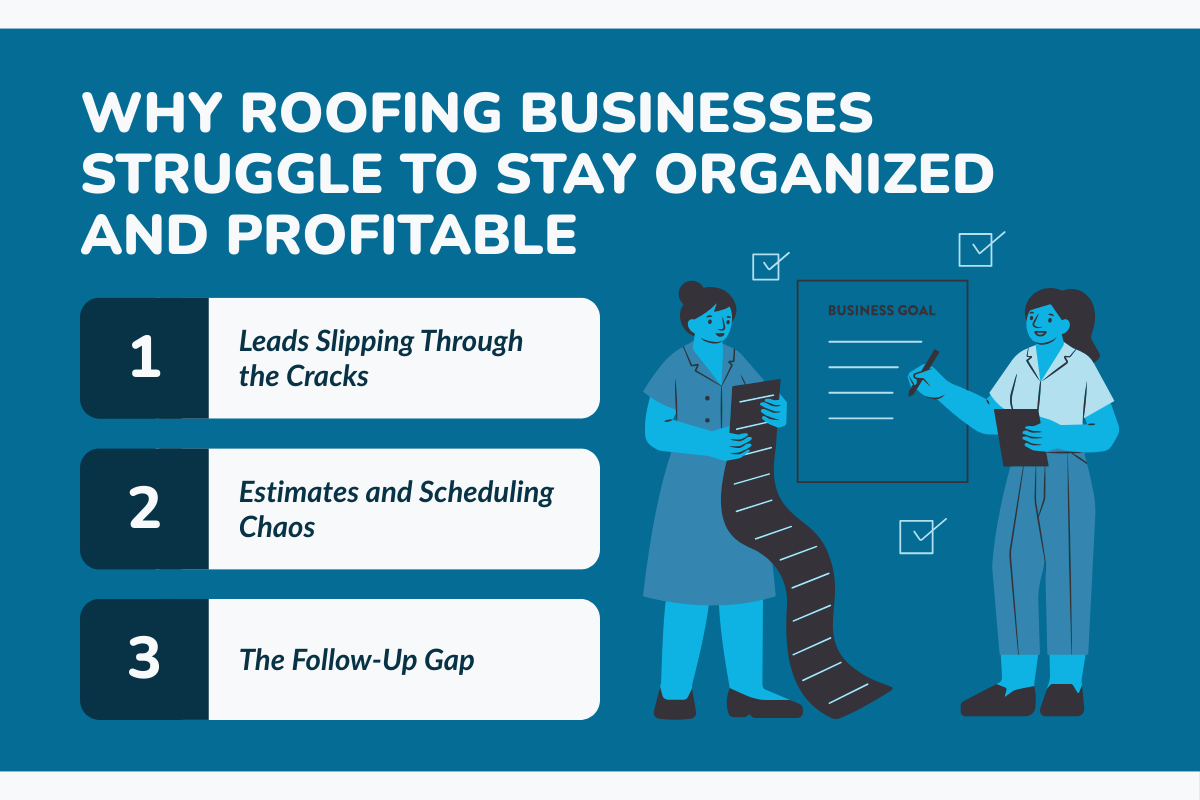
Three areas tend to create the most friction.
1. Leads Get Lost Across Different Channels
Roofing leads can come from website forms, phone calls, referrals, social media, storm campaigns, and door-to-door canvassing.
When those leads are tracked across spreadsheets, inboxes, phones, and handwritten notes, it becomes difficult to see who needs a response and which opportunities are already being worked.
The result is slower follow-up, duplicate work, and leads going cold before a sales rep reaches them.
2. Estimates, Scheduling, and Job Information Become Disconnected
A roofing job moves through multiple teams. Sales collects customer and property information, estimators prepare the quote, production schedules the work, and crews need the latest job details in the field.
When each stage relies on a different tool, teams often end up entering the same information multiple times or working from outdated details.
That can create problems such as:
- Duplicate data entry
- Scheduling conflicts
- Missing or outdated job notes
- Incorrect material information
- Poor visibility between sales, production, and field crews
As job volume increases, managing these handoffs manually becomes harder to sustain.
3. Customer Follow-Up Becomes an Afterthought
The workflow does not end when the roof is installed.
Contractors still need to manage final payments, customer questions, review requests, referrals, warranties, and future follow-ups. But when teams are already focused on the next project, these tasks can easily get pushed aside.
Without a structured follow-up process, roofing companies can miss opportunities to collect reviews, generate referrals, and maintain relationships with past customers.
A roofing CRM is designed to connect these stages rather than manage each one separately. That starts with bringing customer, sales, and job information into one system.
To know precisely why you need a Roofing CRM, go through this: Roofing CRM vs Generic CRM: What’s the Difference?
What Does Roofing CRM Software Do?
Roofing CRM software helps contractors manage customer relationships and the workflows connected to each roofing job from one system.
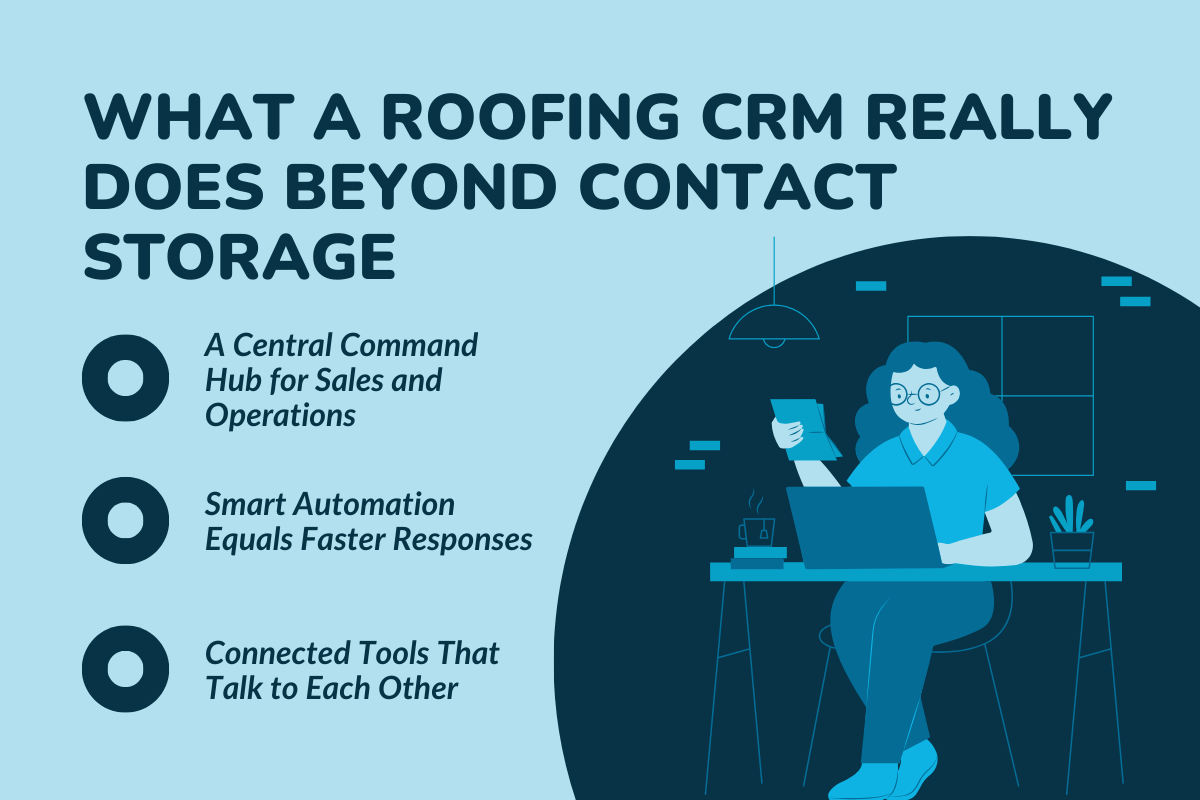
Unlike a basic contact database, a roofing-specific CRM can connect sales, estimating, scheduling, production, field activity, and customer follow-up so information moves with the job instead of being re-entered at every stage.
Depending on the platform, roofing CRM software can help teams:
Centralize Lead and Job Information
Customer details, lead sources, estimates, proposals, job notes, photos, documents, and project status can be stored against the same record.
That gives sales reps, office teams, project managers, and field crews access to the information they need without searching through separate spreadsheets, inboxes, or apps.
Automate Repetitive Sales and Follow-Up Tasks
CRM automation can reduce the manual work involved in moving opportunities through the pipeline.
For example, teams may be able to:
- Assign new leads to sales reps
- Trigger reminders for calls or inspections
- Send customer communications
- Move jobs through predefined stages
- Automate follow-up and review requests
This helps keep leads and jobs moving even when teams are managing multiple projects at once.
Connect Office and Field Teams
Mobile access allows field teams to view job information and send updates from the job site.
Depending on the CRM, crews may be able to upload photos, update job stages, add notes, check schedules, or document issues directly from their phones. Those updates are then available to the office without requiring separate calls or manual data entry.
Integrate With the Rest of Your Roofing Tech Stack
Roofing CRMs can also connect with tools used for accounting, roof measurements, payments, calendars, supplier management, and other parts of the workflow.
The value of these integrations is not simply having more software connected. It is reducing duplicate data entry and helping information move between systems without teams having to enter the same details repeatedly.
Track Performance and Business Activity
Reporting dashboards can give roofing companies visibility into areas such as lead activity, sales pipelines, job progress, team performance, and other operational metrics.
This helps managers identify bottlenecks and understand where jobs and opportunities stand without piecing together reports from multiple systems.
The easiest way to understand how these capabilities work together is to follow a roofing job through the CRM from the moment a lead enters the pipeline to the final customer follow-up.
How a Roofing CRM Works: From Lead Capture to Job Follow-Up

The value of a roofing CRM becomes clearer when you look at how information moves through an actual job. Instead of managing each stage in a separate tool, the CRM keeps the customer record, sales activity, job details, and follow-ups connected throughout the workflow.
Stage 1: Capture and Organize New Leads
Roofing leads can enter through website forms, phone calls, referrals, social campaigns, storm canvassing, and other channels.
A CRM gives those leads a central place to land. Depending on the platform and integrations you use, new opportunities can be automatically added to the pipeline, assigned to a sales rep, and tagged by source or territory.
Teams can then see:
- Where each lead came from
- Who is responsible for following up
- When the last interaction happened
- What stage the opportunity is in
- What action needs to happen next
This makes it easier to respond consistently without relying on individual spreadsheets, inboxes, or notes.
Stage 2: Inspect the Property and Build the Estimate
Once a homeowner is ready for an inspection or quote, the customer record can move directly into the estimating process.
Roofing CRMs may offer built-in estimating tools or integrate with measurement and estimating platforms. Depending on the system, contractors can use measurements, pricing information, photos, inspection details, and predefined templates to prepare the estimate.
Keeping this information connected to the original lead reduces the need to re-enter customer and property details as the opportunity moves toward a sale.
Once the estimate is ready, teams can send the proposal, record customer responses, and track whether the opportunity has been won, lost, or still needs follow-up.
Stage 3: Schedule the Job and Coordinate the Team
After a proposal is approved, the job moves from sales into production.
Scheduling tools can help office teams assign dates, crews, and other resources while keeping the job details accessible to everyone involved.
Instead of coordinating work through separate calendars and text-message threads, teams can use the CRM to see upcoming jobs, schedule changes, responsibilities, and relevant customer information in one place.
Stage 4: Track the Job From the Field
Once work begins, mobile access helps connect what is happening on-site with the office.
Field teams may be able to:
- View job details and schedules
- Upload project photos
- Add notes and documentation
- Update job stages
- Report issues from the field
Those updates become part of the same job record, giving project managers and office staff better visibility without having to call the crew for every status update.
Stage 5: Close the Job and Follow Up With the Customer
Completing the installation is not necessarily the final step in the customer lifecycle.
A roofing CRM can help teams keep track of remaining activities such as final documentation, invoices or payments, warranty information, customer communication, review requests, and referral follow-ups.
Some platforms also allow contractors to automate parts of this process, such as sending a review request after a job reaches a completed stage or scheduling a future customer follow-up.
The result is a connected record of the relationship from the first inquiry through the completed job and beyond.
Once you know which parts of this workflow matter most to your business, the next step is comparing the roofing CRM platforms that handle them best.
Best Roofing CRM Software for Contractors in 2026
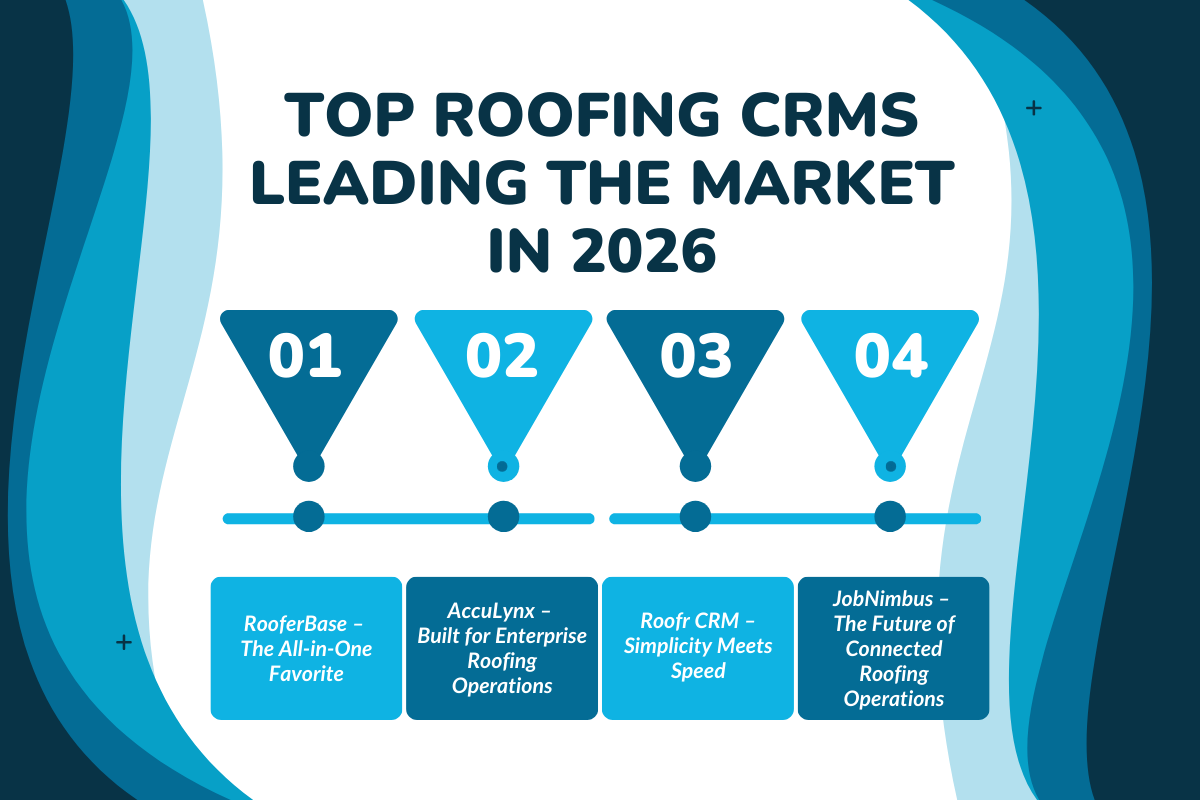
The best roofing CRM depends on what your business needs the software to handle. Some platforms focus heavily on sales and estimating, while others extend into production, scheduling, field operations, financial workflows, and reporting.
1. RooferBase
RooferBase has become a favorite among roofing businesses looking for a single system to run nearly everything.
- It is explicitly built for roofers who are tired of stitching together separate tools for sales, production, and finance. What stands out most is how well it connects the front office with the field.
- Contractors use RooferBase to manage leads, create estimates using aerial measurements, schedule crews, organize job photos, process payments, and track profitability in one place.
- The platform also supports material ordering through an integrated supplier library, reducing ordering errors and saving time. Weather tracking and radar data help teams plan workdays more accurately, especially in storm-heavy regions.
- Sales leaders appreciate the ability to assign territories, manage multiple locations, and view real-time profit margins tied directly to estimates.
Pricing: Pricing starts at $63 per user/month, with final pricing depending on team size, selected capabilities, integrations, and implementation requirements.
2. AccuLynx
AccuLynx is widely used by larger roofing companies that operate at scale. It is especially popular among contractors handling high volumes of full roof replacements, insurance restoration jobs, and storm response work.
- The platform places a strong emphasis on production workflows and internal coordination.
- Teams rely on AccuLynx to manage the entire roof replacement lifecycle, from initial inspection to material ordering and final documentation.
- It integrates with major suppliers, making material ordering more predictable, and offers structured document management for permits, contracts, and insurance paperwork.
- Storm data and weather-mapping tools are particularly valuable for companies operating in hail-prone regions, helping teams prioritize neighborhoods after weather events.
Pricing: AccuLynx pricing is typically custom quoted. Visit their official website to get the exact pricing for your business.
3. Roofr
Roofr CRM appeals to contractors who value speed and simplicity, especially on the sales side. It is designed for roofing businesses that want to move quickly from measurement to estimate without overwhelming homeowners or sales reps with complex workflows.
- Roofr is best known for its fast estimate generation and clean, professional proposals. Contractors often use it to present multiple pricing options to homeowners, which helps reduce hesitation and shorten decision cycles.
- The platform supports aerial measurements, integrates weather data, and produces polished PDF presentations that look professional without requiring design work.
- While it is lighter on deep production features, it excels at helping sales reps close deals faster.
Pricing: Starter is free. Measure+ ranges from $109–$169/month, Essentials costs $249/month, and Scale costs $349/month. Measurement report fees may apply separately.
4. JobNimbus
JobNimbus is one of the most flexible roofing CRMs on the market and is often chosen by established contractors who want customization and automation.
- It works well for companies that have outgrown entry-level tools but still want control over how workflows are built.
- Contractors use JobNimbus to automate workflows, schedule jobs, manage photos, and process payments directly within the platform.
- Its large integration marketplace allows teams to connect accounting software, measurement tools, and marketing systems.
- Many roofing businesses appreciate how adaptable JobNimbus is, allowing them to tailor pipelines for residential, commercial, or insurance-based work without forcing a one-size-fits-all process.
Pricing: JobNimbus offers custom pricing. Book a demo or contact their team for your business pricing. It also offers a 14-day free trial.
5. SPOTIO
SPOTIO is a field sales and lead management platform suited to roofing companies that rely heavily on door-to-door canvassing and territory-based sales.
- Mapping and territory tools help teams identify and organize sales opportunities.
- Route planning helps outside sales reps manage their time in the field.
- Real-time lead and rep tracking gives managers greater visibility into field activity.
- Its mobile app also supports offline functionality for teams working in areas with limited connectivity.
Unlike a full roofing CRM, SPOTIO is primarily focused on field sales. It does not provide some roofing-specific operational capabilities such as estimating, material order tracking, and payment processing.
Best for: Roofing contractors with dedicated door-to-door or field sales teams.
Pricing: Custom pricing based on team requirements.
How to Pick the Best Roofing CRM for Your Business?

Not every CRM fits every roofing contractor. Here’s how to choose wisely.
Start with Your Pain Points
Think about the part of your business that slows you down the most. Do you struggle more with lead tracking, scheduling, or follow-ups? Your CRM should solve your number one bottleneck first.
Look for Integration and Mobility
A good CRM connects to everything you already use. Look for features like QuickBooks integration, roof measurement tools, EagleView data, payment processing, and full weather tracking. Also, check how strong the mobile app is, since your crew will rely on it daily.
Check Usability Before You Commit
A CRM may have powerful features, but it still needs to be easy for your sales, office, and field teams to use consistently. Use a demo, trial, or guided walkthrough to test the workflows your team will actually rely on, such as lead entry, estimating, scheduling, mobile access, and follow-up.
Consider the Features You’ll Actually Use and What They Cost
More features do not automatically make a CRM better for your business. Compare platforms based on the workflows your team actually needs, and look beyond the base subscription price to account for additional users, onboarding, integrations, payment processing, or advanced features that may cost extra.
Check Onboarding and Support
A CRM only delivers value if your team can adopt it successfully. Before choosing a platform, ask what onboarding, data migration, training, and ongoing support are included so your sales, office, and field teams can start using the system without disrupting existing workflows.
Make Sure the CRM Can Scale With Your Business
Your CRM should still work as your team, job volume, or locations grow. Check whether the platform allows you to add users, upgrade plans, expand workflows, and access more advanced capabilities without forcing you to switch systems later.
The mistakes you need to avoid while you are choosing your Roofing CRM: have a look at this: 7 Common Mistakes Roofers Make While Choosing a CRM
Real ROI: What Contractors Are Seeing After Adopting a Roofing CRM
A roofing CRM is not just about convenience. It directly impacts revenue, efficiency, and risk. Here’s how contractors see the difference once they make the switch:
| Workflow Stage | Before CRM | After CRM | Business Impact | Risk Reduced |
|---|---|---|---|---|
| Lead Response Time | 2 to 3 days due to missed calls and manual tracking | Within 1 hour using auto notifications and mobile alerts | Higher lead-to-appointment conversion and fewer lost opportunities | Lost leads going to faster competitors |
| Proposal Delivery | Manual Excel sheets and emailed PDFs | Auto-generated proposals with e-Sign | Faster deal closure and improved win rates | Pricing errors, unsigned proposals, stalled deals |
| Job Scheduling | Phone calls, paper notes, and memory-based planning | Drag-and-drop calendar with crew visibility | Fewer delays, better crew utilization, smoother operations | Missed jobs, double bookings, scheduling conflicts |
| Client Follow-Up | Occasional calls or no follow-up at all | Automated review, referral, and follow-up campaigns | More repeat business, stronger reviews, steady referrals | Missed reviews, lost referrals, weak customer retention |
| Job Documentation | Photos stored on phones or scattered folders | Centralized job photos and inspection records | Easier dispute resolution and clearer project visibility | Lost proof for insurance claims or customer disputes |
| Payment Collection | Manual invoices and delayed reminders | Automated invoicing and payment reminders | Faster cash flow and healthier finances | Late payments and cash flow gaps |
| Team Visibility | Limited insight into rep or crew activity | Real-time dashboards and job tracking | Better accountability and more thoughtful decision-making | Blind spots in performance and profitability |
Results
Contractors who switch to a roofing CRM report:
- Faster job creation and fewer roadblocks, since every detail lives in one system instead of scattered tools.
- A steady flow of qualified leads, thanks to automated capture and quicker response times that keep prospects engaged.
- More accurate estimates and realistic pricing, supported by measurements, supplier data, and built-in profit margin tools.
- Stronger cash flow from quicker payment collection, with invoices and payment options sent the moment the job is complete.
- Better organized job photos and inspection data make it easier for teams to communicate and justify project decisions.
- Improved working profit margin, since managers can track numbers in real time and make adjustments before issues grow.
- More jobs are completed without delays, because scheduling, materials, and on-site updates stay perfectly synced.
Final Take: Don’t Just Manage Roofs, Manage Growth
A roofing CRM provides roofing contractors with a clear, organized path from lead capture to job completion.
When your sales processes, job stages, weather tracking, estimating, and payments all live in one system, your entire roofing business becomes easier to run.
- You save time.
- You close more jobs.
- You avoid mistakes.
- Your customers feel the difference.
If you’re ready to streamline everything from estimates to reviews, there’s one tool built specifically for roofing companies.
Streamline Your Roofing Business With RooferBase
See how RooferBase helps contractors simplify every step from lead capture to final review, all in one connected platform.
Try RooferBase and book a demo today- the all-in-one CRM built for roofing success.
FAQs
1. What is a roofing CRM?
A roofing CRM is software that manages leads, estimates, scheduling, job photos, and follow-ups in one place, helping contractors stay organized and close more jobs.
2. How does a roofing CRM improve estimate accuracy?
It uses aerial measurements, pricing libraries, and supplier data to create detailed project estimates and realistic pricing.
3. Can a roofing CRM organize job photos and inspections?
Yes. Crews can upload job photos and inspection details from the field, keeping everything documented in one system.
4. Do roofing CRMs integrate with tools like QuickBooks?
Most roofing CRMs integrate with tools such as QuickBooks, supplier libraries, and payment processing systems to streamline billing and material ordering.
5. How does a roofing CRM help increase sales?
A roofing CRM helps increase sales by speeding up lead response times, automating follow-ups, and generating estimates faster. By keeping sales, job details, and customer communication in one place, contractors stay aligned and close more jobs without manual tracking.