

Roofing Project Management Software for Coordinating Crews, Materials,
& Jobs
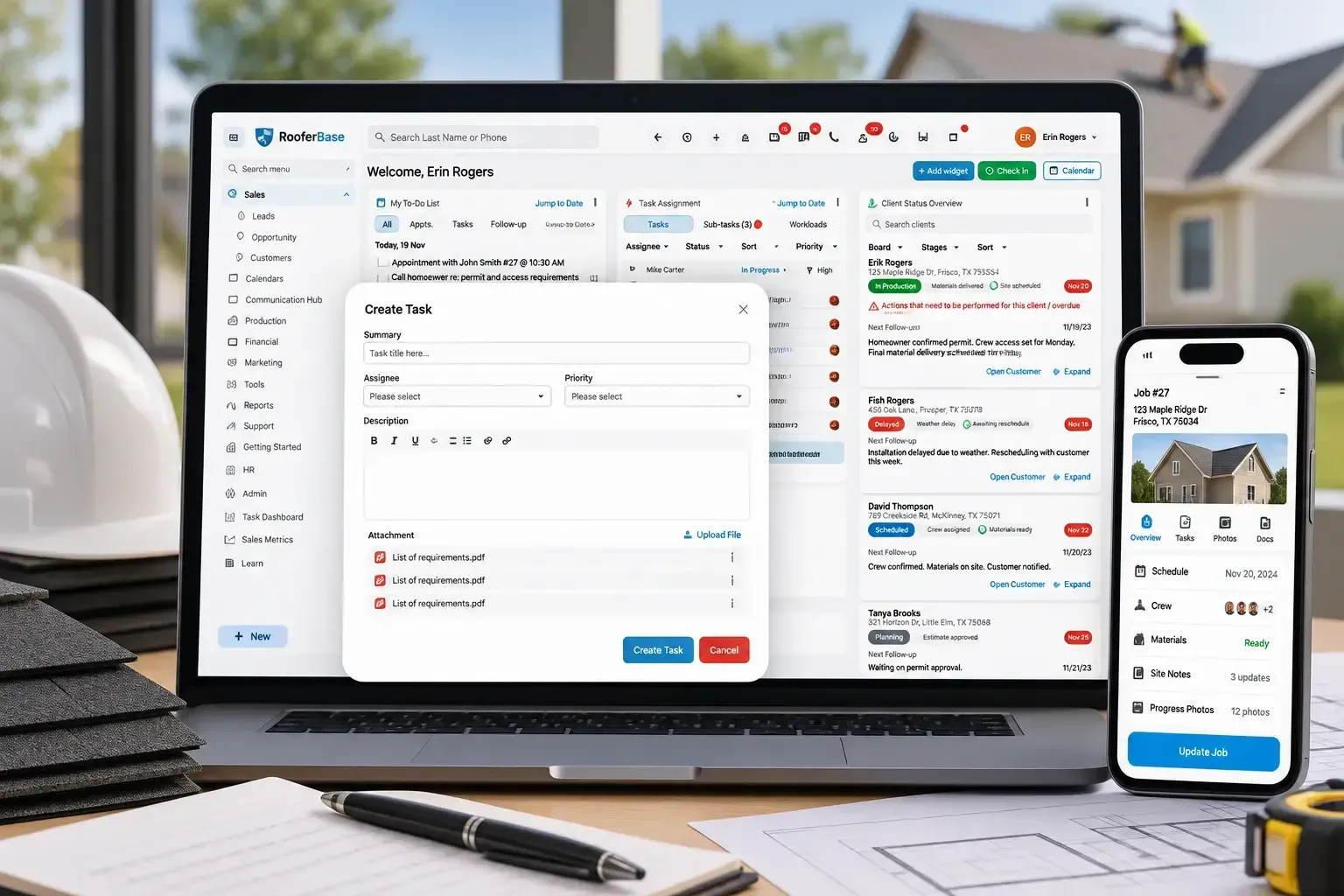

Coordinate roofing jobs from signed contract to final completion with centralized scheduling, crew coordination, material tracking, field updates, and production visibility.
RooferBase connects the information created during sales and estimating with the production work that follows, helping office teams and field crews stay aligned from job kickoff through completion.
Manage roofing operations with:
01
02
03
04
05
Schedule roofing jobs and assign crews or subcontractors.
Track production timelines, milestones, tasks, and completion status.
Monitor material readiness, deliveries, and job requirements.
Capture field photos, notes, updates, and site activity.
Keep office teams, project managers, and crews working from the same job information.
02 - Definition
What Is Roofing Project Management Software?
Roofing project management software helps contractors manage the production side of a roofing job after it is sold. It connects job scope, crew assignments, schedules, materials, tasks, field updates, documents, and completion requirements so office teams and crews can coordinate the work from kickoff through closeout.
03 - Production coordination
Why Roofing Operations Need Specialized Software
Getting a roofing job onto the calendar is only the beginning. Before a crew can start, the office needs to confirm the sold scope, materials, crew availability, site requirements, permits, access, and target dates. Once work begins, managers also need visibility into field progress, delays, photos, changes, and completion.
Roofing teams also need to coordinate:
01
02
03
04
05
06
07
08
Crew availability and assignments.
Approved scope of work and production requirements.
Material readiness and delivery timing.
Weather-related changes.
Permits and inspection requirements.
Property access and homeowner/site requirements.
Field photos and progress notes.
Production tasks, milestones, and deadlines.
When these details are spread across calls, texts, spreadsheets, calendars, and paper documents, office and field teams may work from different information.
RooferBase brings these project details, scheduling, field activity, documents, and job progress into one connected roofing project workflow.

04 - From Signed Job to Completed Roof
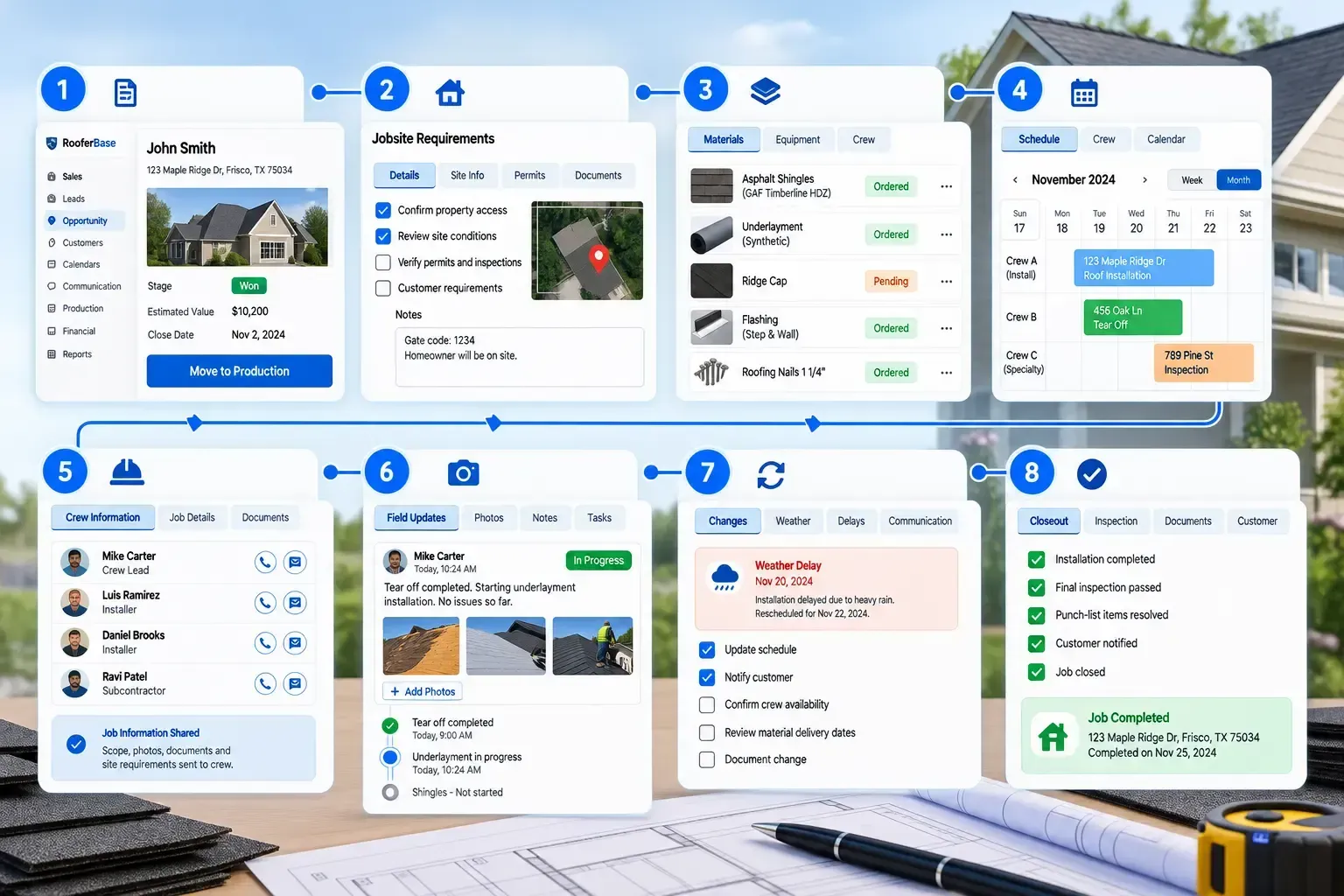
Complete Roofing Project Workflow
Coordinate roofing jobs from signed contract to final completion with centralized scheduling, crew coordination, material tracking, field updates, and production visibility.
01
02
03
04
05
06
07
08
Move the Sold Roof Into Production
Bring the approved customer, property, scope, estimate, documents, and project requirements into the production workflow.
Confirm Roofing Jobsite Requirements
Review materials, access, site conditions, permits, inspections, customer requirements, and other pre-production details before scheduling the crew.
Get Materials and Crews Ready
Confirm that required roofing materials, equipment, crew availability, and approvals are ready for the planned installation date.
Schedule the Roofing Installation
Assign the job to a crew or subcontractor and set installation, inspection, and completion dates.
Dispatch the Crew With the Right Job Information
Share scope details, job instructions, property information, photos, documents, and site requirements with the crew or project manager.
Track Roofing Work From the Field
Record completed work, production milestones, photos, notes, delays, material usage, and site issues.
Adjust the Production Plan When Conditions Change
Update tasks, dates, materials, responsibilities, and communication when weather, site conditions, material availability, scope, or crew availability changes.
Close Out the Completed Roofing Job
Confirm required work, punch-list items, documentation, quality checks, inspections, and customer updates before closing the project.
05 - Roofing production areas
Manage Every Stage of Roofing Production With RooferBase
Keep the requirements for every roofing production stage connected to the job record.
Roofing production area:
- Roofing Job Setup & Pre-Production: Approved scope, job requirements, documents, materials, permits, and readiness
- Roofing Crew Scheduling & Dispatch: Crew assignments, availability, installation dates, and schedule changes
- Roofing Production Tracking: Job status, milestones, deadlines, and production progress
- Jobsite Photos, Updates & Field Activity: Photos, notes, completed work, inspections, delays, and site issues
- Roofing Material & Job Readiness: Material requirements, deliveries, equipment, and pre-start requirements
- Installation Tasks & Production Milestones: Production tasks, deadlines, outstanding work, and milestones
- Office-to-Crew Job Coordination: Scope, instructions, documents, photos, schedule changes, and field updates
- Weather, Site & Production Delay Management: Weather delays, material issues, site conditions, and production changes
- Roofing Job Completion & Closeout: Punch-list items, inspections, documentation, quality checks, and completion
06 - Plan the Right Work for the Right Crew
Roofing Job Scheduling and Crew Coordination
Roofing schedules change frequently because of weather, material availability, customer access, crew capacity, and project conditions.
RooferBase helps operations teams:
01
02
03
04
View scheduled roofing jobs.
Check availability before assigning a job.
Move jobs when timelines change.
Notify relevant users about schedule updates.
05
06
07
08
Assign work to crews or subcontractors.
Set installation, repair, inspection, and completion dates
Track overlapping work or scheduling conflicts, if supported.
Keep project dates connected to the job record.
Operational outcome: Office teams gain a current production view while crews receive clearer information about where and when work is scheduled. FH2: Field Progress and Documentation.
07 - Keep Job-Site Updates Connected to the Project
Roofing Jobsite Progress and Documentation
Field teams need a simple way to communicate what happened at the job site. RooferBase organizes field activity around the relevant roofing project.
Teams can record:
- Job-status updates.
- Completed tasks.
- Site photos.
- Field notes.
- Material usage.
- Delays or site issues.
- Customer-related updates.
- Inspection information.
- Completion documentation.
Operational outcome: Office and production managers can review current project information without relying on scattered text messages or repeated phone calls.
08 - Confirm the Job Is Ready Before the Crew Arrives
Connect Sales, Estimation, and Production
Material shortages and missing requirements can delay an otherwise scheduled roofing project. Move Approved Roofing Jobs Into Project Management
01
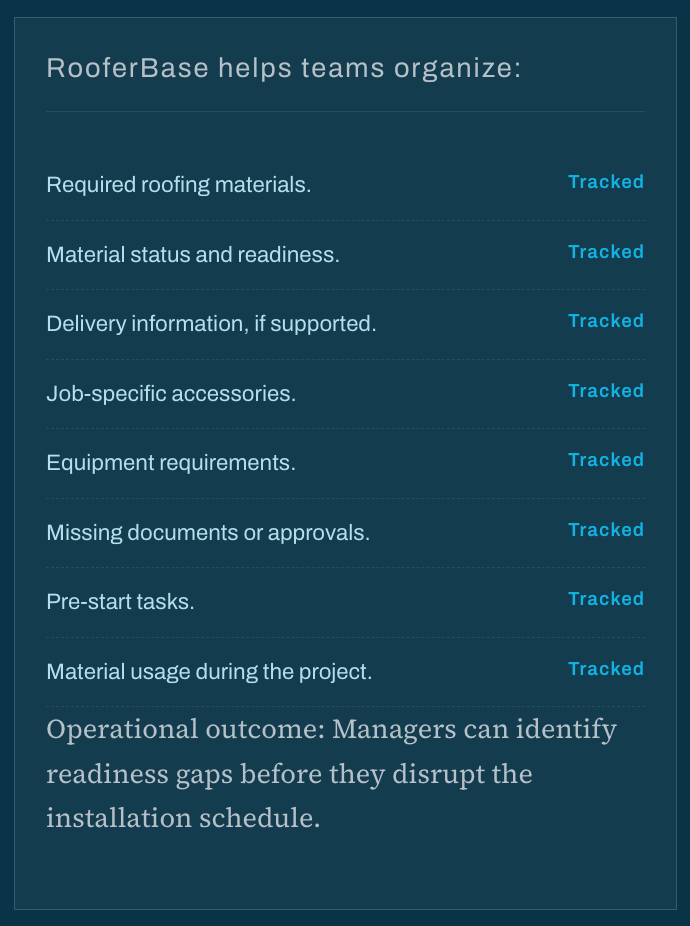
Roofing Job Readiness and Material Coordination
Material shortages and missing requirements can delay an otherwise scheduled roofing project.
02
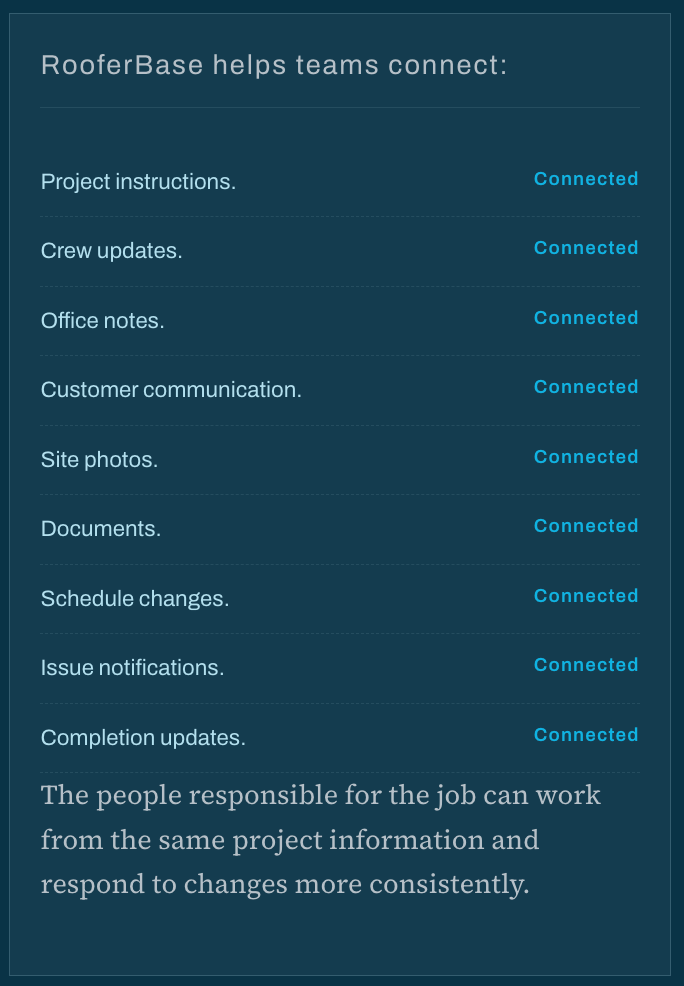
Office-to-Field Roofing Project Communication
Keep Office, Field, and Customer Information Aligned
Project communication becomes difficult when job updates are distributed across phone calls, texts, email threads, and separate files.
03
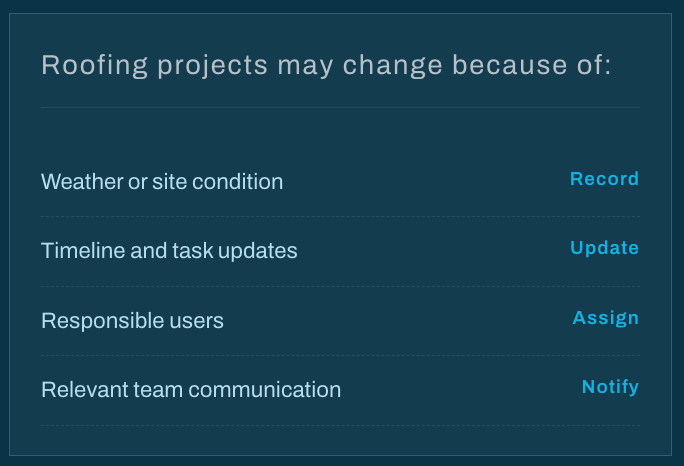
Manage Delays and Changes
Respond to Roofing Job Changes Without Losing Control
RooferBase helps teams record the issue, update the project timeline, assign the next action, and communicate the change to relevant users.
09 - CRM and Production Connections
Connect Sales, Estimation, and Production
When a roofing proposal is approved, project management starts with the information sales and estimating teams have already collected.
01
02
03
Sales
Estimation
Production
Customer, property, signed scope, commitments, photos, and documents.
Measurements, materials, pricing, labor, and project requirements.
Crews, schedules, materials, tasks, field updates, and completion.
This reduces repeated data entry and gives operations teams a clearer view of what was sold and what needs to be delivered.
10 - In practice
How Roofing Teams Use Project Management Software
Residential roof replacement
The office team confirms the signed scope, checks material readiness, assigns a crew, schedules the installation, tracks field progress, and records completion documentation.
Weather-related dealy
Rain prevents work from starting as scheduled. The manager updates the project date, notifies the relevant team, and keeps the delay visible on the job record.
Commercial roofing project
The project involves multiple roof sections, crews, materials, documents, and milestones. The team tracks each requirement and monitors progress across the broader project.
Hidden damage discovered on site
The crew records photos and notes about additional damage. The office team reviews the issue, updates the required work, and communicates the next step to the customer.
11 - Project management comparison
Roofing Project Management Software: RooferBase vs. Disconnected Tools
| Project Management Requirement | RooferBase Capability | Disconnected Tools & Manual Workflows |
|---|---|---|
| Sales-to-Production Handoff | Carry customer, property, approved scope, project requirements, documents, and relevant estimate information into the production workflow. | Manual data re-entry. Office staff must manually download files from a sales tool and re-upload them into a separate production tool. |
| Real-Time Production Visibility | See job status, production progress, field activity, inspections, and project updates from one connected view. | Managers depend on calls, texts, spreadsheets, and individual updates to understand what is happening across active jobs. |
| Field Crew Coordination | Mobile-optimized dispatching. Keep crew assignments, job details, production timelines, photos, documents, and field updates connected in one system. | App fatigue. Crews must juggle separate apps for time tracking, map navigation, and photo storage, leading to lost job files. |
| Job Cost & Margin Visibility | Live financial visibility. Keeps estimated material costs locked down and tracks actual build expenses against the initial bid. | Disconnected financials. Material orders and labor bills live in a separate system, meaning profit loss is only discovered after the job is done. |
| Customer & Homeowner Updates | Keep customer-related updates connected to project progress, schedule changes, and completion information. (e.g., "Materials Delivered"). | Manual follow-up. Project managers must spend hours making phone calls or sending manual texts to keep clients updated on project status. |
| Job Documents & Photos | Keep roof photos, permits, documents, notes, and project updates connected to the relevant job. | Job files and photos can become scattered across texts, email threads, cloud folders, and individual devices. |
11 - Roofing job requirements
Built for Different Roofing Job Requirements
Coordinate homeowner communication, material delivery, installation crews, inspections, and completion updates.
Residential roofing: Coordinate homeowner access, crew schedules, materials, installation progress, inspections, and closeout.
Commercial roofing: Manage multiple roof sections, crews, materials, milestones, documents, and project timelines.
Restoration roofing:
Coordinate changing site conditions, inspections, documentation, materials, and production schedules.
Multi-crew operations:
Manage multiple active jobs, crew assignments, production schedules, and field updates from one operational view.