March 13, 2025
The best roofing software is not necessarily the platform with the longest feature list, but the one that fits how your team manages the entire roofing job lifecycle.
If you're a small residential contractor, you may prioritize fast estimates, professional proposals, and straightforward lead management.
On the other hand, a growing roofing company with several crews may need scheduling, job tracking, field updates, material management, permissions, and reporting in a single connected system.
This guide explains which features matter, how to compare platforms, what to ask during a demo, and how to test roofing software before committing.
Key Takeaways:
- Begin with the operational problems you need the software to solve.
- Evaluate the complete workflow and not just individual features in isolation.
- Prioritize estimating, CRM, project management, mobile access, materials, payments, integrations, and reporting according to your needs.
- Compare the total cost, including user fees, add-ons, training, measurements, and integrations.
- Let office and field users test the platform on a real roofing job before making a long-term commitment.
Roofing Software: What Difference Does It Make?
As a roofer, your schedule is always full. Between juggling job sites, managing crews, and handling client calls, there’s hardly a second to spare.
Operating a roofing company involves more than merely installing shingles and sealing leaks; it requires balancing estimates, overseeing projects, managing invoices, and ensuring customer satisfaction.
If you’re still relying on manual paperwork, spreadsheets, or outdated systems, you might lose time, money, and potential customers without realizing it. And the truth is that many of your competitors are likely already using roofing software. And if they’re not, they will be soon.
Define What Your Roofing Software Needs to Solve
Before comparing platforms, map how a job moves through your business today, from the first customer inquiry to project closeout. Look for stages where information gets re-entered, approvals stall, updates are missed, or teams rely on disconnected tools.
Identify the problems your roofing software must solve, such as:
- Leads slipping through without follow-up
- Estimates and proposals taking too long
- Job photos scattered across phones and messages
- Office and field teams working with different information
- Scheduling or material-ordering delays
- Limited visibility into job costs and profitability
Separate essential capabilities from features that would simply be nice to have. This gives you a clear evaluation standard and prevents you from paying for software that looks impressive but does not fit your roofing job lifecycle.
Checklist: What are the Key Features to Look for in Roofing Software?
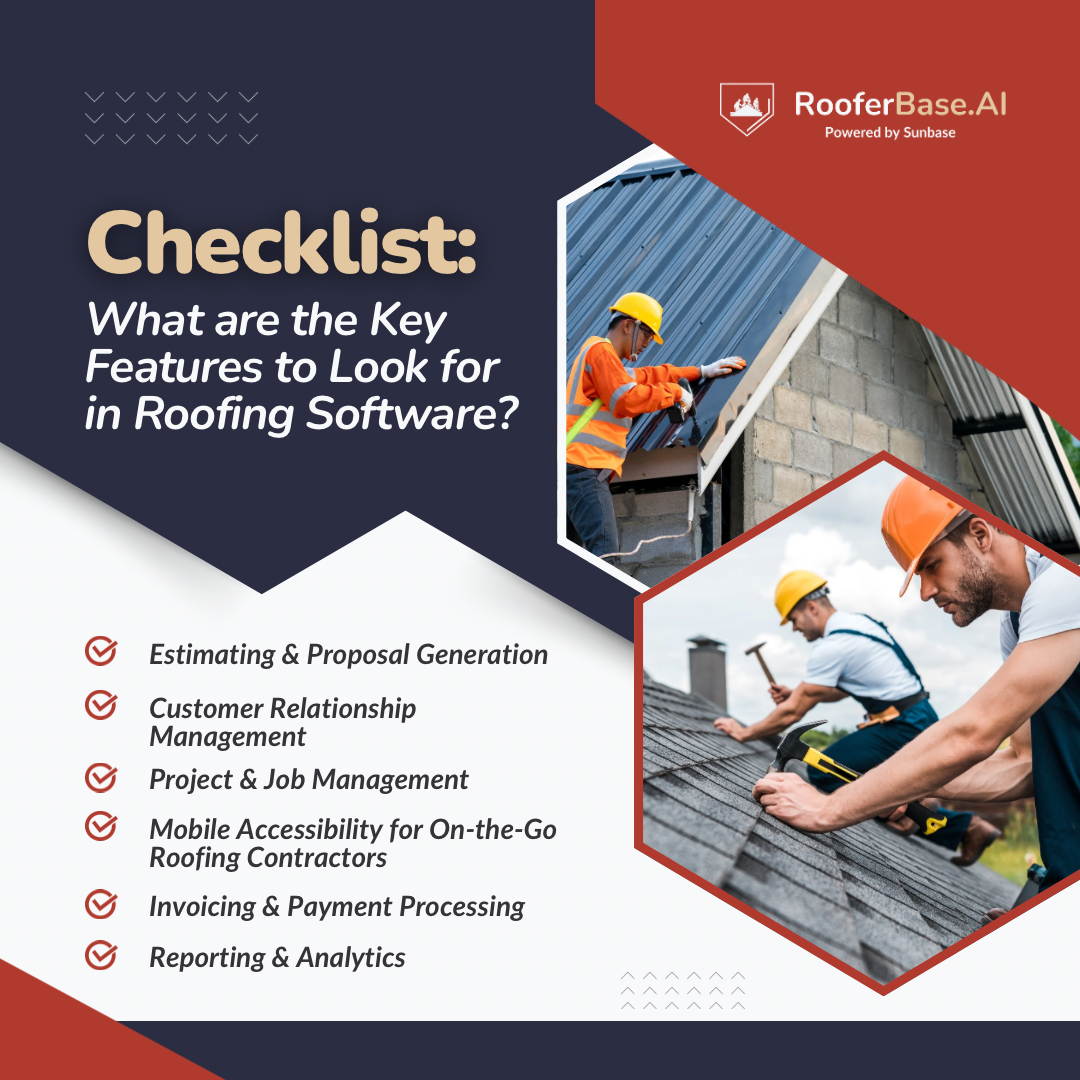
If you’re looking for roofing software, the choices can be confusing. Here’s a simple checklist of important features to help you out.
1. Estimating & Proposal Generation
Precise estimates decide the success or failure of your roofing business. Overcharging can cost you jobs, while underpricing can eat into your profits.
The roofing software automates estimation and proposal generation, allowing you to send professional, accurate quotes within minutes. Here's how:
- Aerial and satellite measurement tools for accurate roofing estimates.
- Pre-designed templates for fast, professional proposals.
- Custom pricing for materials, labor, and permits.
- Digital contracts with e-signature integration.
Curious? Here's How Roofing Management Software Can Help With Estimating and Quoting In The Roofing Industry.
2. Customer Relationship Management
Leads come in from phone calls, website forms, social media, and referrals, but the question is: are you managing them effectively?
A roofing CRM keeps customer details, conversations, appointments, and follow-ups organized in one place. Here’s how:
- Automated follow-ups for leads and customers.
- Lead assignment and pipeline tracking.
- Complete communication and customer histories.
- Better visibility into repeat business and referrals.
3. Project & Production Management
Managing several roofing jobs at once can quickly become confusing when schedules, documents, and updates live in different places.
Roofing software keeps office teams, crews, and subcontractors connected throughout production. Here’s how:
- Task assignment and crew scheduling.
- Real-time job and production updates.
- Centralized documents and job-site photos.
- Change-order and project-stage tracking.
4. Mobile Accessibility for Field Teams
Roofing work happens in the field, so software limited to an office computer cannot support the entire team.
Mobile roofing software allows contractors and crews to:
- View schedules and job information on-site.
- Upload photos, notes, and documents.
- Update customers and job statuses from the field.
- Continue essential work during weak connectivity and sync updates later, where supported.
5. Materials & Supplier Management
Incorrect material quantities and delayed orders can affect both project timelines and profitability.
Material-management features connect approved estimates with purchasing and delivery. They can provide:
- Material lists generated from project estimates.
- Access to supplier catalogs and pricing.
- Purchase-order creation and tracking.
- Better visibility into orders and deliveries.
6. Invoicing & Payment Processing
Invoicing becomes unnecessarily time-consuming when teams have to rebuild information that already exists in an accepted estimate.
Modern roofing software can simplify billing through:
- Instant invoice creation after project completion.
- Credit card, ACH, and financing options.
- Payment-status tracking.
- Integrations with accounting platforms such as QuickBooks or Xero.
7. Workflow Automation & Integrations
When estimating, accounting, communication, and project tools cannot exchange information, teams end up entering the same data repeatedly.
Connected roofing software reduces these manual handoffs through:
- Automated task assignments and reminders.
- Follow-ups triggered by job or sales stages.
- Connections with measurement, supplier, and accounting tools.
- Customer communication through email or text.
8. Reporting & Analytics
You're guessing instead of growing if you don’t track your numbers. The software provides you with real-time reports, enabling data-driven decisions that enhance profits.
- Tracking job profitability: See where you’re making (or losing) money.
- Sales performance reports: Track how many leads turn into clients.
- Revenue forecasting: Predict cash flow for better planning.
- Customer insights: Understand trends to improve marketing techniques.
How to Compare Different Roofing Software Solutions?
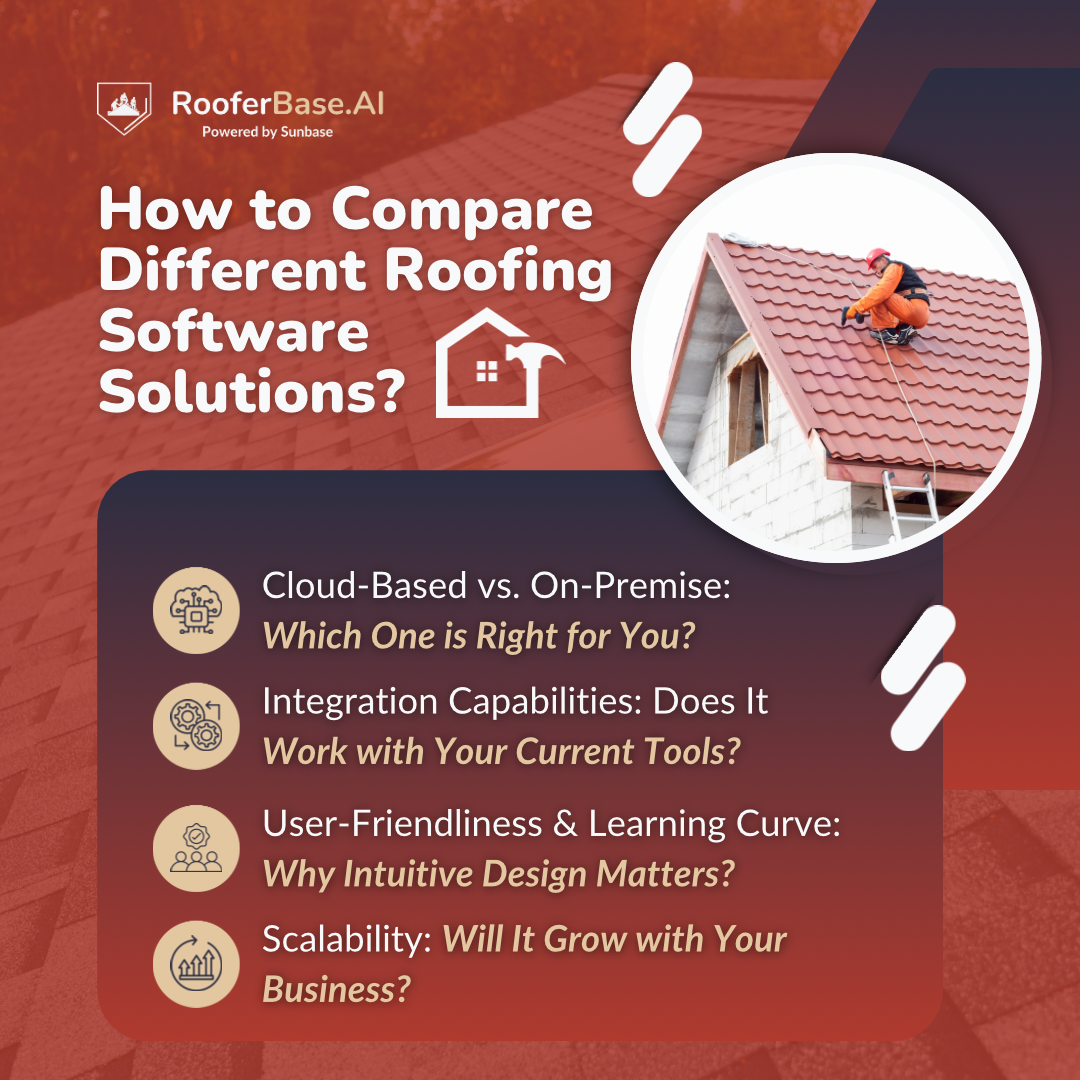
Overwhelmed by choices, risks, and complex jargon? Let's ease the process with four clear questions that will help you navigate the confusion and identify the ideal match.
1. Cloud-Based vs. On-Premise: Which One is Right for You?
The major confusion starts here; let's find out the difference!
- Cloud-Based: If you prioritize flexibility and accessibility, cloud-based software could be your ideal choice. You can access it from anywhere, anytime online. Additionally, it's simpler to scale and frequently includes automatic updates.
- On-Premise: If you prefer complete control over your data and are comfortable managing servers, on-premise software might be the right choice. However, you will require IT support and an initial investment. This is ideal for businesses with strict data privacy requirements.
Question to consider: Do you prioritize mobility and low upfront costs, or do you prefer total control and data privacy?
2. Integration Capabilities: Does It Work with Your Current Tools?
Always look for integration options before committing to roofing software. It can save you valuable work hours and make your operations run more smoothly.
Explore solutions that blend effortlessly with the tools you are already using! For example:
- Can it sync up with your accounting software to simplify invoicing?
- Does it link to your CRM to track important client interactions?
Here's A Guide on Choosing the Right Roofing CRM: Features, Benefits, and ROI
3. User-Friendliness & Learning Curve: Why Intuitive Design Matters?
No matter how advanced the software is, it becomes ineffective if the team cannot utilize it. Roofing contractors require simple interfaces and cannot afford lengthy learning processes.
What to Look?
- Test the Interface: Is it a clean, simple dashboard with easy navigation?
- Training & Support: Are there tutorials, live chat, or a help center available?
4. Scalability: Will It Grow with Your Business?
Your roofing business today will differ from it in five years. You need software that develops with you, not one that restricts you.
Does it offer?
- Adaptive pricing plans for business growth that enable user additions as your team expands?
- Customizable workflows that develop alongside your requirements?
5. Total Cost: What Are You Really Paying For?
The listed subscription price does not always show the full cost. Some platforms charge separately for additional users, aerial measurements, photo storage, integrations, training, or advanced estimating and CRM features.
Questions to consider:
- Is the price monthly or annual?
- Are additional users included in the plan?
- Do measurements, integrations, or premium features cost extra?
- Are onboarding, training, and customer support included?
No one likes surprise charges after committing. The best value comes from software that provides the features your team actually uses without piling on unexpected fees.
What are the Common Pitfalls to Avoid?
> Mistakes That Cost Time and Money
#1. Ignoring mobile compatibility for field teams: Making your software mobile-compatible will greatly benefit your team while they're out and about.
#2. Overpaying for features you’ll never use: Being realistic about your essential features is necessary. While attractive extras can be tempting, they’re a waste of money if they remain unused.
#3. Skipping training and onboarding: Dedicating time to comprehensive training and onboarding will ensure everyone can use the tools effectively.
#4. Relying on a generic sales demo: A live walkthrough using a realistic job can reveal how it manages estimates, change orders, material updates, job-site photos, and weak field connectivity.
#5. Rolling it out without testing it on a real job: A small repair or straightforward reroof can expose slow steps, missing functions, and field issues before they affect every crew or active project.
#6. Leaving daily users out of the decision: Estimators, office staff, sales reps, foremen, and installers use roofing software differently. Their input can uncover practical problems early and make the final platform easier for the entire team to adopt.
Must-read: Finance Teams: Analyzing the ROI of Roofing Software in Large-Scale Projects.
5 Best Roofing Software Options for Contractors in 2026
1. RooferBase
If you're looking for a clean, well-rounded roofing CRM that feels built for the real world, Rooferbase hits the mark.
- Platform: Cloud-based + Mobile
- Best Fit For: Owner-operators to large multi-crew businesses looking to modernize operations
- Core Strengths: Clean CRM, fast estimating, real-world usability
- Key Features: Instant estimator, aerial roof measurements, job syncing, team coordination
- Complexity & Usability: Easy to onboard; minimal training needed
- Integration & Customization: Integrates with key supplier catalogs and offers basic customization for estimates and workflows
Try Rooferbase and see how easy it is to get accurate roofing estimates and coordinate with your team. Your next project could run smoother than ever.
2. JobNimbus
If your business is scaling or juggling multiple job sites, this one makes it easier to keep track without dropping the ball.
- Platform: Web + Mobile App
- Best Fit For: Residential roofers and companies managing multiple crews or job sites.
- Core Strengths: Project management, workflow automation
- Key Features: Automated sales pipeline, task reminders, job scheduling, customer history tracking
- Complexity & Usability: Moderate learning curve; great support and training resources available
- Integration & Customization: Syncs with QuickBooks, Google Calendar, and customizable dashboards
3. AccuLynx
It's ideal for companies that want to manage roofing materials and everything else under an all-in-one platform.
- Platform: Full-featured cloud platform + mobile app
- Best Fit For: Large-scale roofing companies needing an end-to-end management system. It is also widely adopted by smaller contractors and is designed to be intuitive even for those new to the platform
- Core Strengths: Truly all-in-one; robust for scaling teams
- Key Features: Estimating, production scheduling, material ordering, aerial measurements, and financing tools
- Complexity & Usability: Feature-rich and powerful, but may feel overwhelming for small teams initially
- Integration & Customization: Strong integrations with EagleView, QuickBooks, and financing partners; customizable workflows
4. iRoofing
Designed with the mobile crew in mind, iRoofing focuses on field usability. It offers powerful visualization tools like roof simulations, digital presentations, and material selection guides, right from a tablet or phone.
- Platform: Primarily mobile (iOS and Android)
- Best Fit For: On-the-go roofing crews and sales teams
- Core Strengths: Field usability and roof visualization tools
- Key Features: Roof simulations, digital presentations, material comparison guides.
- Complexity & Usability: Very user-friendly; optimized for fieldwork
- Integration & Customization: Limited integrations, but tailored for visual selling and mobile estimating
5. RoofSnap
If fast roof measurements and a straightforward sales process are the priority, RoofSnap keeps both in one place.
- Platform: Cloud-based + mobile and desktop apps
- Best Fit For: Independent contractors and mid-sized companies focused on speed and accuracy. Also used by startups and some larger businesses
- Core Strengths: Fast estimating and precise measurements
- Key Features: On-demand roof measurement reports, in-app estimating, proposal templates
- Complexity & Usability: Simple, lean interface; minimal setup time
- Integration & Customization: Lightweight on integrations, but customizable estimate and proposal templates
In a nutshell
Answer this: Would you hire someone who's disorganized? Clearly not!
Therefore, selecting the appropriate roofing software goes beyond joining a technology trend. It’s about equipping your business with the fundamental tools to grow in an environment where efficiency is beneficial and necessary for survival.
Whether you’re a solo contractor or oversee multiple teams, the best software simplifies your work, increases profits, and allows you to concentrate on what you are best at: building durable roofs.
So, think long-term and ask, "Will this make my day easier or add more headaches?”
More About RooferBase
The future of the roofing industry belongs to those who are adaptable.
After all, your business isn’t merely another roof; it’s a legacy. Build it right with RooferBase! Request a demo today.
FAQs
1. What should you consider when selecting roofing software?
When deciding on roofing software, look for a solution that offers all the tools you require for your business. This includes features for handling roofing sales, tracking job progress, generating affordable roof measurement reports, and every aspect of the business.
The right software should simplify your operations and make it easier to oversee roofing projects from start to finish.
2. How can roofing software assist with managing materials?
Software with roofing materials management features helps track inventory, estimate costs, and minimize waste. Efficient material management ensures you have the necessary supplies for each roofing job, preventing delays and extra costs.
3. Can roofing software help improve the sales process?
Effective roofing software improves sales processes by offering tools for creating proposals, tracking leads, and automating follow-ups. A robust CRM system facilitates customer interaction management and accelerates deal closures.